1
Your Mac
Apple SiliconBuild & notarizeThe Mac DMG
Your Mac tools and signing setup
 SwarmSpan.
For developers with more than one computer
Send a build to your Mac, run checks on your Windows PCs, and bring the files and results back to the computer you're using. SwarmSpan connects your coding agents across your own machines.
$4.99 once. One license for your own PCs and direct-download Macs.
Prefer installing through a store? Compare editions before you install.
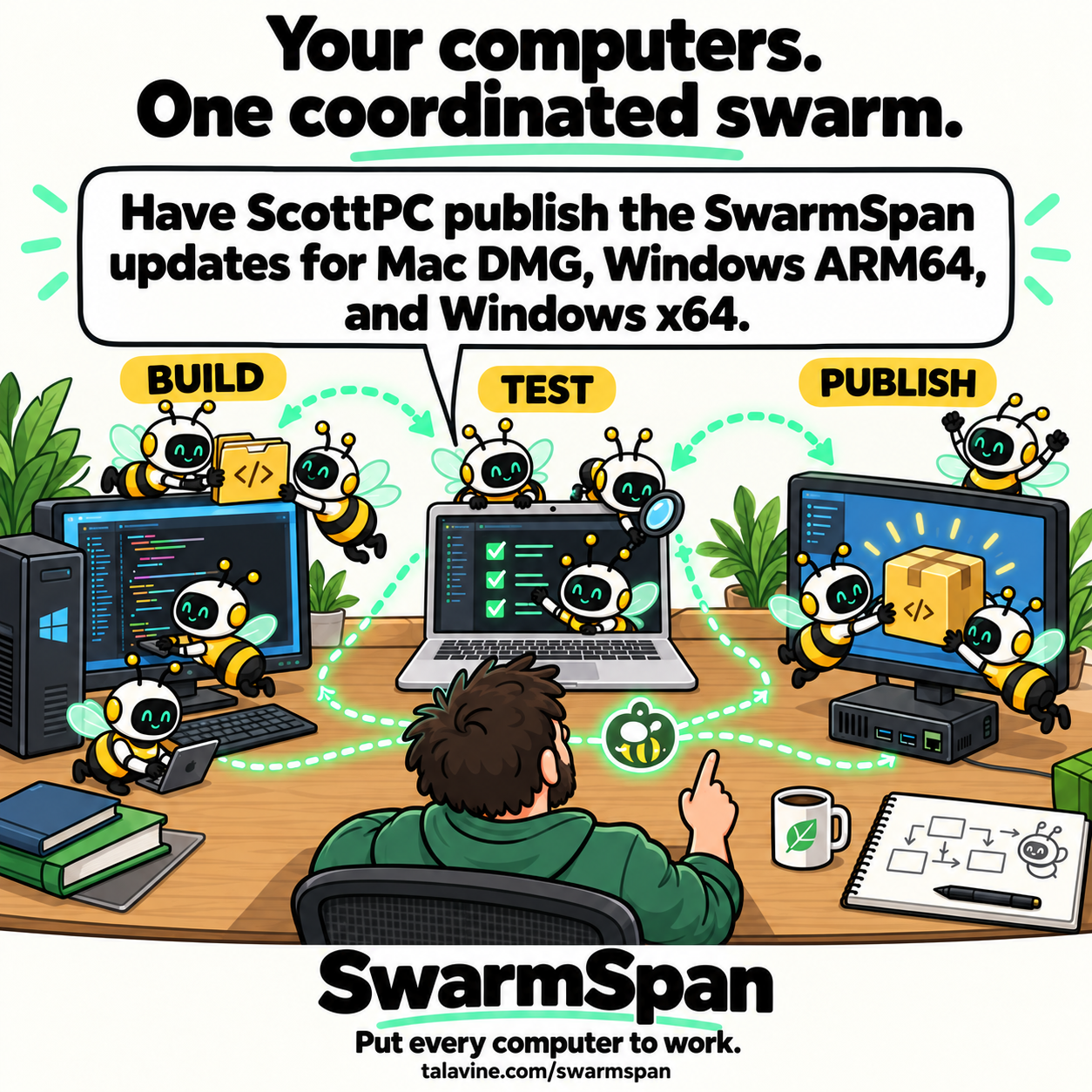
You tell your coding agent which computer should do each part. SwarmSpan carries the assignments, updates and files between them.
Tell your coding agent
Use SwarmSpan to split this release across my three computers, then push the finished builds to the website for release:
Once the builds and checks are complete, have the x64 PC publish them using its release tools. Bring the public download links and logs back here.
Your Mac tools and signing setup
Your build and website release tools
Your native ARM64 environment
app.dmg + mac-build.logFiles returnedsetup-x64.exe + setup-arm64.exe + build.logFiles returnedarm64-tests.logChecks passedThe x64 PC publishes the Mac and Windows installers after the checks pass. Your agent returns the public download links and release log.
Use two computers or more. Agent work needs paired, reachable devices and an agent, tools and permissions configured on each receiving computer. Agent setup guide
The publishing computer needs your release tools and website deployment permissions configured.
Copy a stack trace, send the logs, or find a clip from yesterday. Open a preview to see how each part works.
Share your clipboard across paired Macs and PCs.
Search clipboard history and pin the items you keep using.
Move a patch, a build, or a folder of logs directly to another device.
Choose the folders and destination on each computer.
Use the tools on another computer and get its results back.
Pair with a code. Clipboard items and files travel over your local network.
Choose the installer for each machine.
Enter the pairing code on the same local network.
Then connect your coding agents when you're ready.
One license covers all your own Windows PCs and direct-download Macs. No subscription.
Builds and agent work: choose the Windows or Mac direct download. Your $4.99 website license covers your own PCs and direct-download Macs, including the agent workflow shown above.


Microsoft Store: install the Windows app through Microsoft, then activate it with the same website license. The $4.99 payment is handled by Stripe on this website, not by Microsoft. No second Windows license is needed.
Mac App Store: a separate purchase through Apple for clipboard history, file transfers and folder sync. No website license key is needed. Agent execution, MCP and release automation are not included. A Mac App Store purchase does not activate the Windows or direct-download Mac edition. See the listing for your local price.
You'll need your license key to activate a new direct-download installation.
Signed installers for your computer.
SwarmSpan is published by SwarmMarshal, LLC, the seller named on its Mac App Store listing. Questions before buying? Contact us directly.
Clipboard history and pairing records are stored on your devices. Clipboard items and files travel directly between paired computers on your local network. Clear history, remove a paired device, or pause a synced folder in the app.
The direct-download edition uses the agents and AI providers you configure. A cloud provider may receive prompts and relevant context. Read the privacy policy and agent setup guide.
The store editions go through Microsoft's certification or Apple's app review. Those reviews apply to the respective store submissions. Apple and the Apple logo are trademarks of Apple Inc. Mac App Store is a service mark of Apple Inc.
Questions? Email us or ask on the community board.
Yes, with the direct-download edition. SwarmSpan's MCP bridge lets compatible agents send jobs and files between paired computers. The Mac App Store edition does not include agent execution or MCP. Connect your agent to the bridge and configure the receiving agent's tools and permissions. See the setup steps.
No. Start with two. This example includes a third computer to show native ARM64 testing. Use the machines and tools your project needs.
Clipboard items and files move directly between your paired devices on your local network. Your agent uses the AI provider you've configured, which may be a cloud service.
Yes. Pair your computers and use clipboard history and direct file transfers. Agent work is optional.
One website license activates SwarmSpan on your own Windows PCs and direct-download Macs. The Mac App Store edition is bought separately through Apple and needs no website key. Installs from before licensing keep working at no charge.
A function on your Windows PC. The same function in your Mac editor. Use the shortcuts you already know.
export function releaseName(version: string) {
  return `app-${version}`;
}export function releaseName(version: string) {
return `app-${version}`;
}Open SwarmSpan history, find the snippet, and pin it if you'll use it again.
Illustrated example. These are SwarmSpan's default history shortcuts. Clipboard sharing needs paired, reachable computers; no coding agent is needed.
Pin a release checklist or a command you reuse. Pinned clips stay together at the top; use the Pinned filter to see just those items, or search your history.
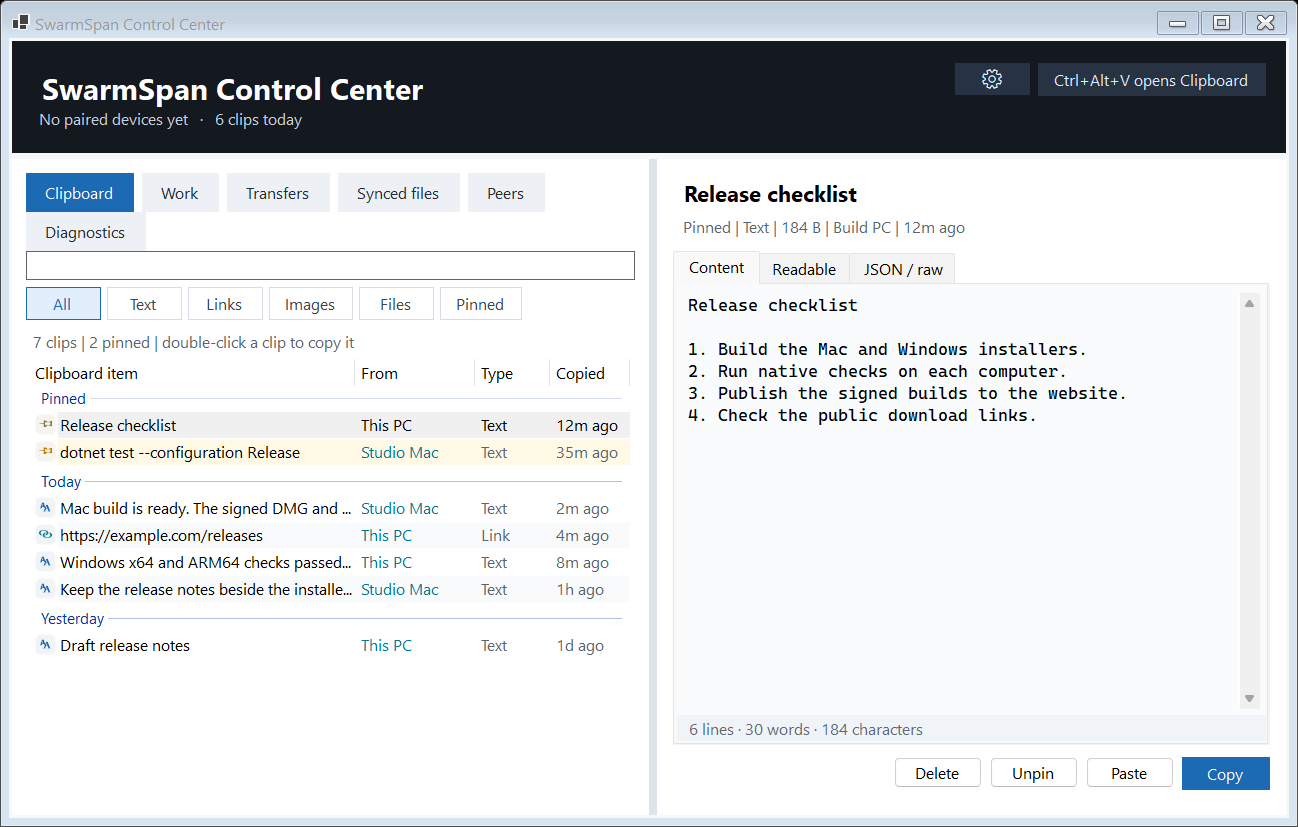
Open history with Ctrl + Alt + V on Windows or Control + Option + V on Mac.
Choose the files, pick your paired computer, and send. This is the actual Windows send dialog with two sample release files ready to go to a Mac.
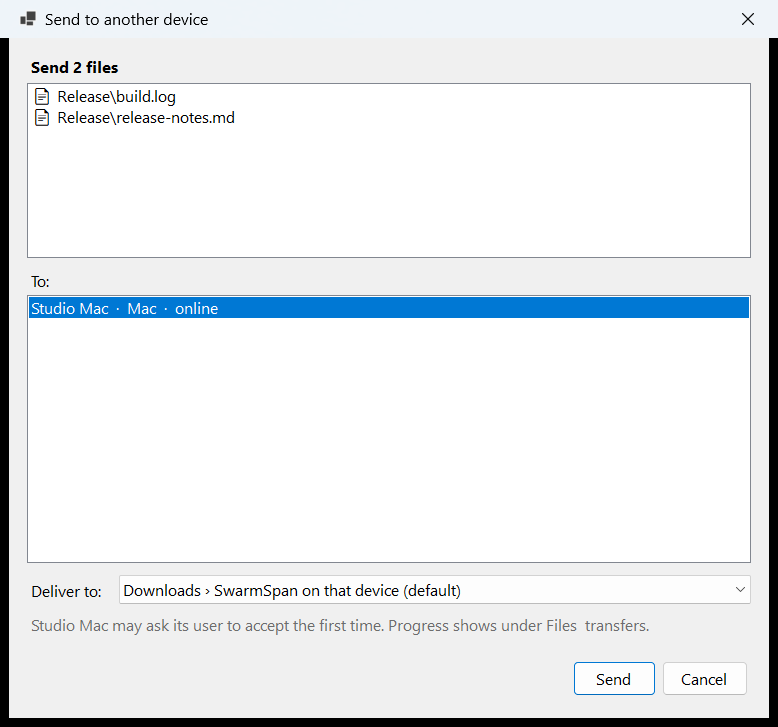
Sending once leaves the folders independent. Both computers need to be paired and reachable.
Choose a folder, select the devices to keep in sync, and set the destination on each one. Then review the existing copies before syncing begins.
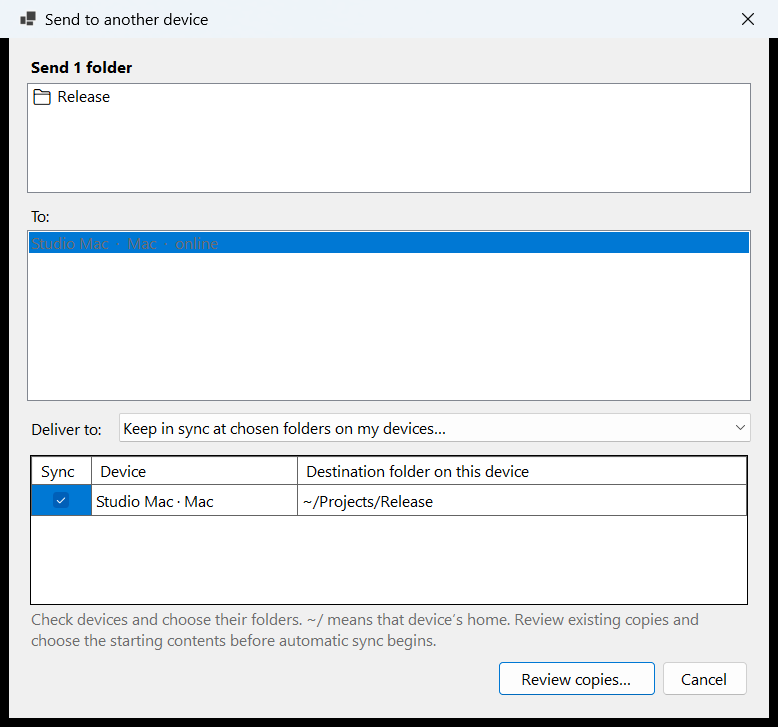
This screen shows setup before sync starts. The destination can be different on each computer.
Open Pair on both computers. Enter the four-digit code from one computer on the other, then choose Pair.
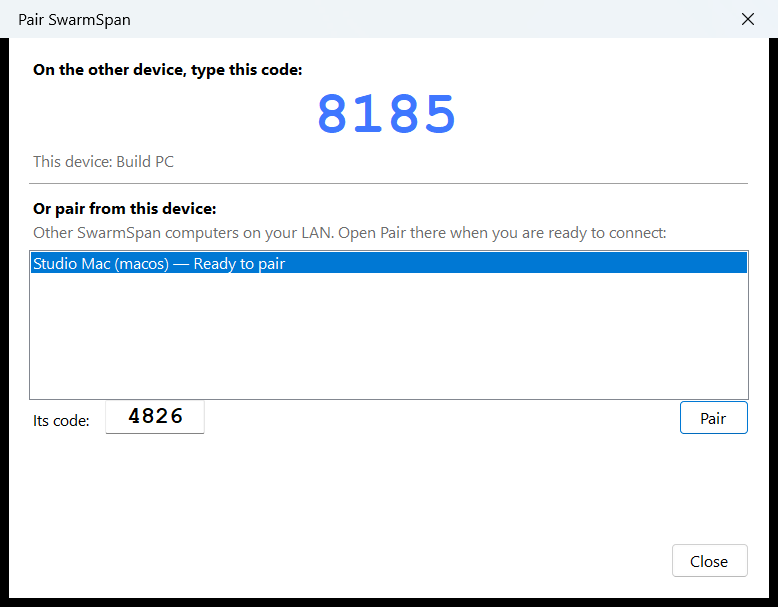
Use computers you own and trust on the same local network. Pairing connects them for clipboard sharing and file handoffs.
Follow a sample conversation from one prompt to three assignments and the returned files.
Scripted example, with sample results. It does not run agents or connect to your computers.
Agent work needs paired, reachable computers and configured agents, tools and permissions. Signing and notarization need your own setup. Agent setup guide ↗