Pick up where it stopped
If the work gets interrupted, Talavine keeps the assignment, the steps already done, and what it found, so it can carry on.
 talavine.
A payment gets returned. An appointment moves. A customer confirms a deadline. Talavine brings the messages and the next steps into one place, with the evidence there to check.
Sally asks about a returned payment, changed appointment, revised flight, and customer deadline. The assistant fills gaps with focused lookups, combines the sources, and catches the appointment conflict.
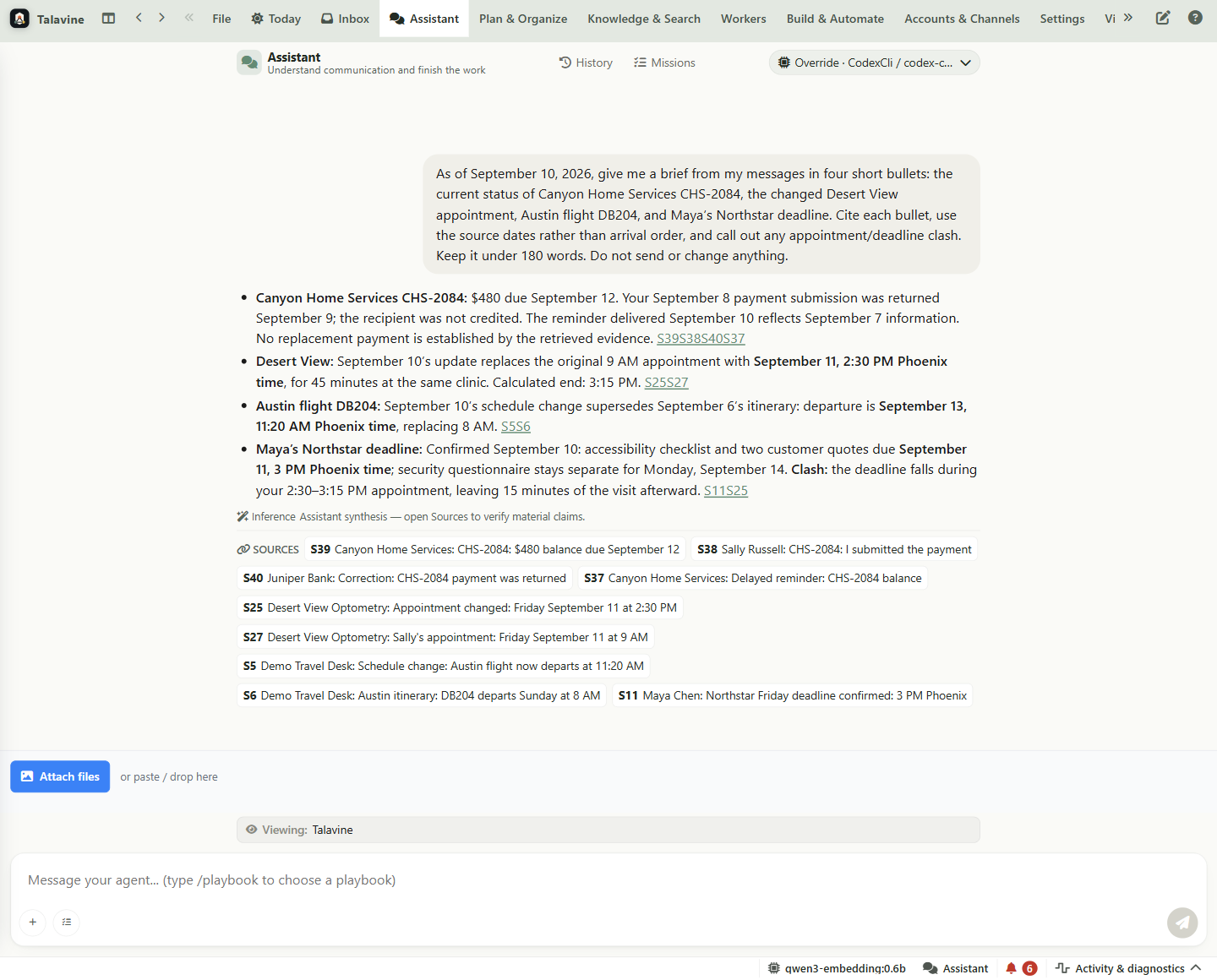
The source links show what supports each claim. A search that finds some evidence does not establish complete coverage; when relevant follow-up searches cannot fill a gap, the answer should explain what remains unknown.
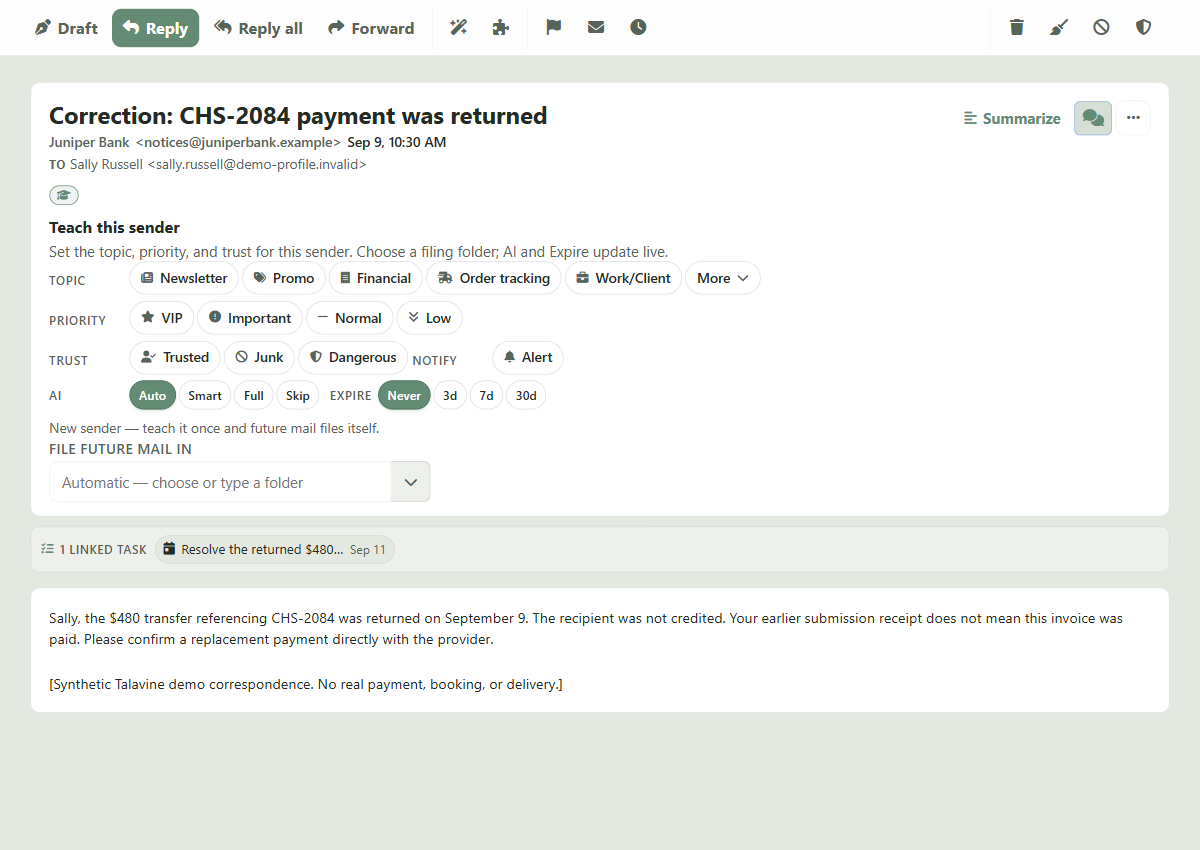
Sally said she submitted the $480 payment. The bank later said it was returned. The assistant's citation opens that correction, with the original date and the linked task in view.
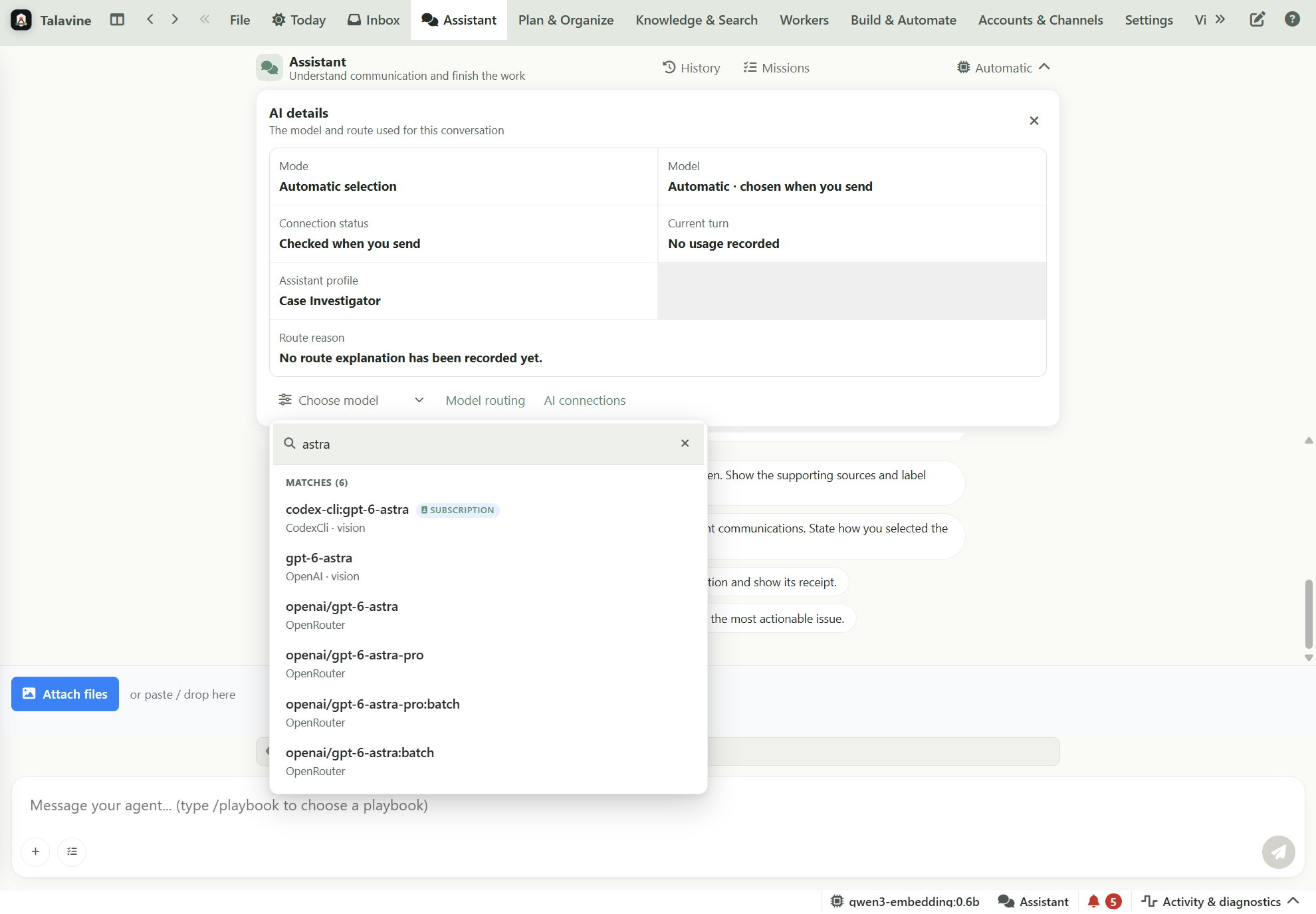
Model Scout selects from the connections available for the job. You can request a model, and a feature can require a specific capability. If no suitable route is available, the work stops with a failure instead of silently using an incompatible connection.
The same model can have different connections. Here, Astra through a Codex CLI subscription, the OpenAI API, and OpenRouter appear separately. Connection availability and supported features still need to be checked.
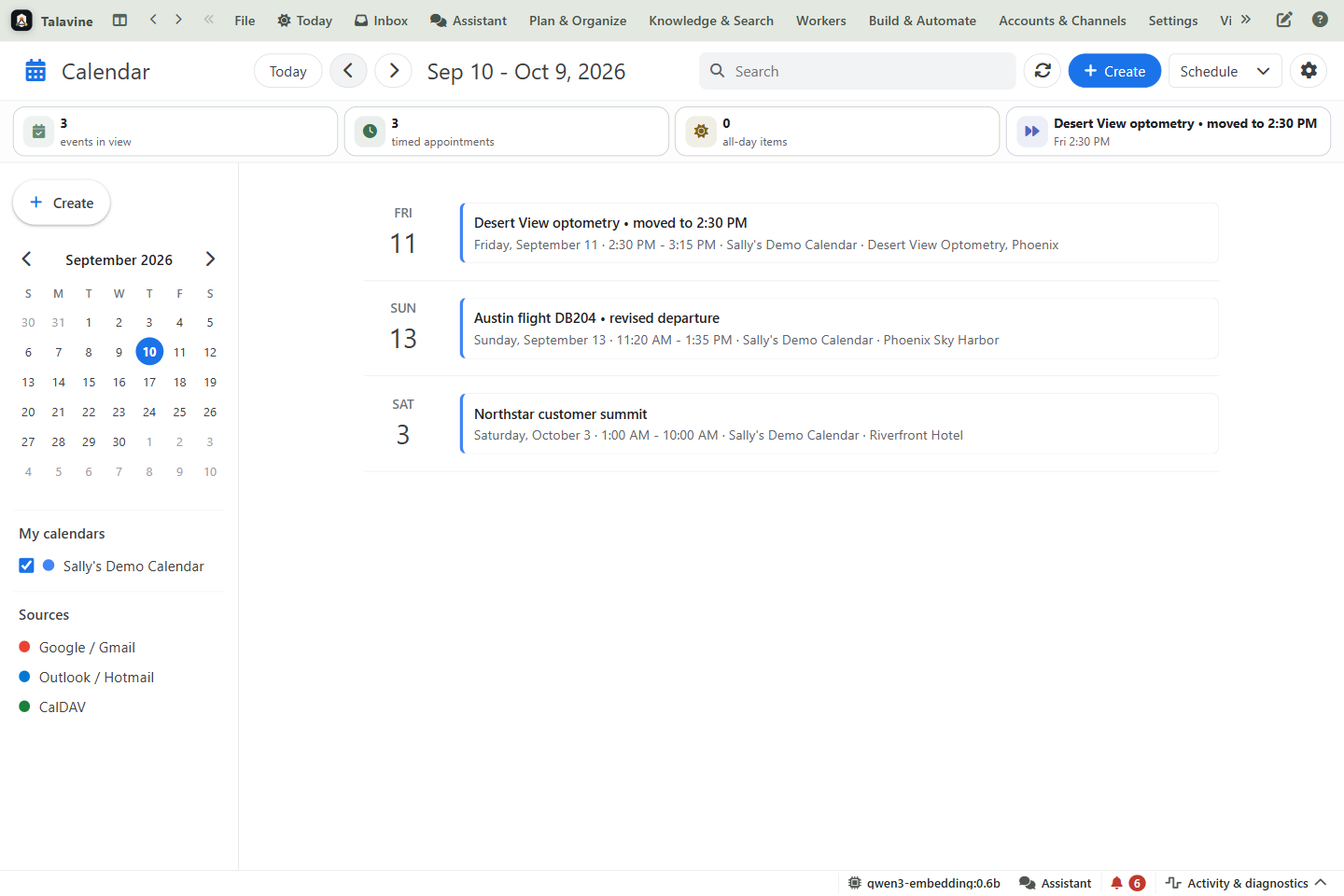
Sally's appointment is now at 2:30 PM on Friday. Her Sunday flight leaves at 11:20 AM. The records include both original messages and corrections, so you can ask what changed and inspect the records behind the answer.
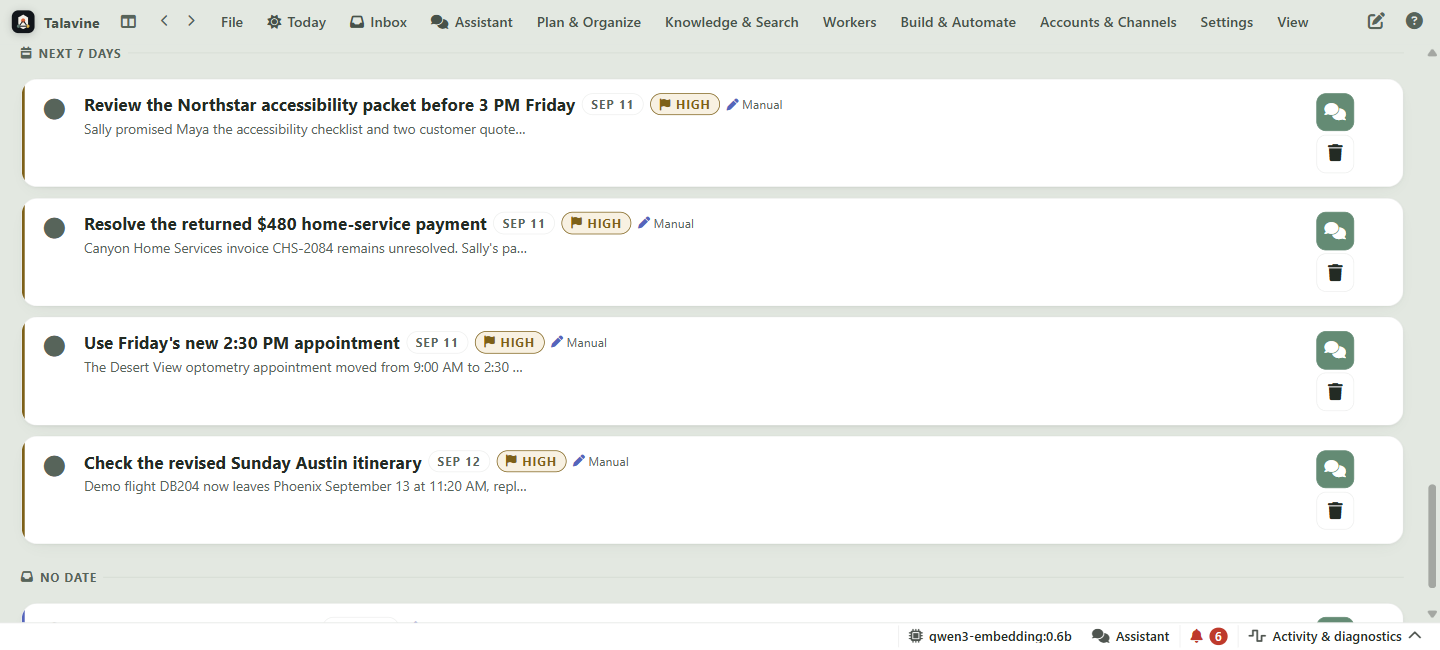
The returned $480 payment needs checking. Maya needs the accessibility checklist and two customer quotes by Friday at 3 PM; the security questionnaire belongs in a separate Monday packet. Each starter task retains the source messages that explain it.
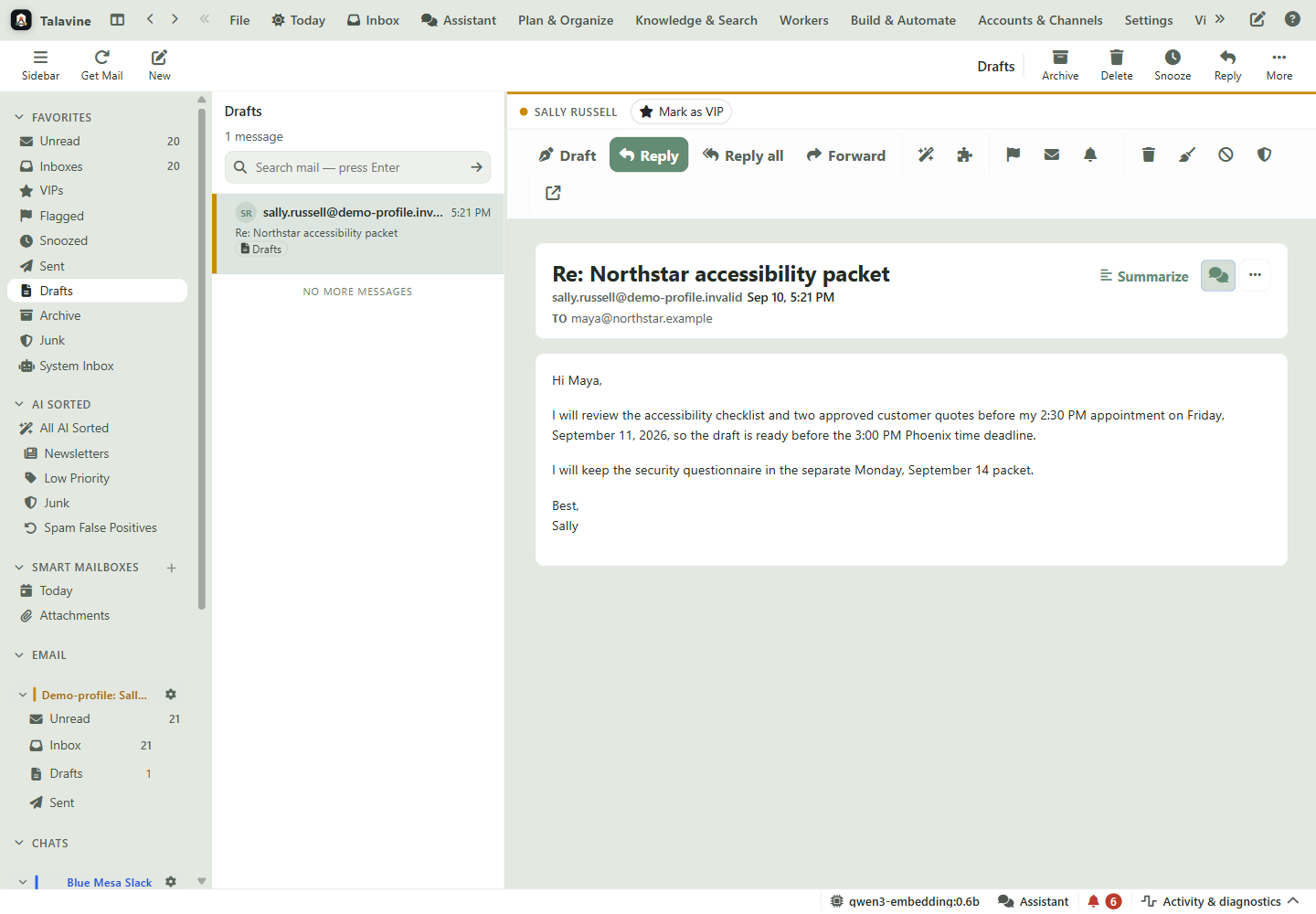
After checking the sources, Sally asked the assistant to prepare Maya's reply. It saved the draft, read it back, and checked the recipient and body. The message is ready for review in Drafts.
Longer assignments are easier to pick up, change, and check. What's available depends on your setup, your AI connection, and the job.
If the work gets interrupted, Talavine keeps the assignment, the steps already done, and what it found, so it can carry on.
Add a correction while the work is running, like "leave the price list alone," and the rest of the job follows it.
Talavine compares what happened with the evidence. A tool saying it's done is only part of the check.
Spending, time, and tool limits stay with the job, including work handed to another helper. Usage it can't measure isn't treated as free.
Steps that don't depend on each other can run side by side, then come back together when the next step needs them.
Browser tasks can look at what actually happened. Coding work happens in the project folder you chose and is checked before it counts as done. Controlling your whole desktop is a separate feature.
These improvements are covered by automated tests. The screenshots above show the named desktop views; they don't demonstrate every AI connection or every kind of assignment.